We use cookies to enable our websites to remember information, to help some website functionalities to work properly, to understand how you interact with and use our websites and to display you content and ads that are relevant and engaging for you.
By clicking Accept All you consent to the use of these cookie.
The store will not work correctly when cookies are disabled.
Quick answer: The business card examples professional teams copy most often share three traits. They have one clear focal point and a strict three-level type hierarchy with generous margins. They also use a finish that matches the industry's tone: restrained for law and finance, tactile for creatives, and high-contrast and hard-wearing for trades. The most common business card fails are crammed contact lists, typos that survive proof approval, off-center trims, low-contrast type and decoration with no clear purpose.
Why most cards are forgotten before the meeting ends
Most business cards do not fail at the printer. They fail days later, when someone empties a jacket pocket and has to decide whether your card stays or goes. J. Brock Smith, an entrepreneurship and marketing professor at the University of Victoria, puts it this way: the main purpose of a card is not to exchange information but to make a "second impression"[1]. That second look happens without you in the room, so the card has to explain itself.
The same mistakes keep repeating. A designer who has produced more than 100 business cards lists the most common client requests. At the top are fitting long bullet lists onto a standard card and approving a final proof that still contains a typo[2]. On the production side, one small-business owner's first order arrived off-center compared with the design[3], and the free reprint was worse. Fewer cards are also being printed. The largest online printing group reported business card revenue down about 6% in its FY2025 annual filing[4]. With fewer cards in circulation, a weak one has less chance to make up for itself.
This guide is a gallery of professional business card examples organized by industry. Each example covers the layout, the hierarchy and the finish choice that make it work, what your team can borrow, and the fail to avoid. If you are already preparing to order, our custom business cards page covers formats, surfaces, artwork approval and production planning, so this article stays focused on design decisions.
What makes a business card example "professional"?
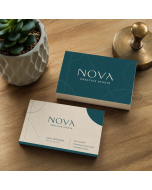
A professional card does one job for one type of recipient, and nothing on it gets in the way of that job. It does not have to be conservative. A tattoo studio card with a full-bleed illustration can be more professional than a bank teller's card with four phone numbers, because the studio card is clear about what it is for. In this article, every example was assessed against four tests.
Focal test: held at arm's length for two seconds, exactly one element should register first. That is usually the name or the brand mark.
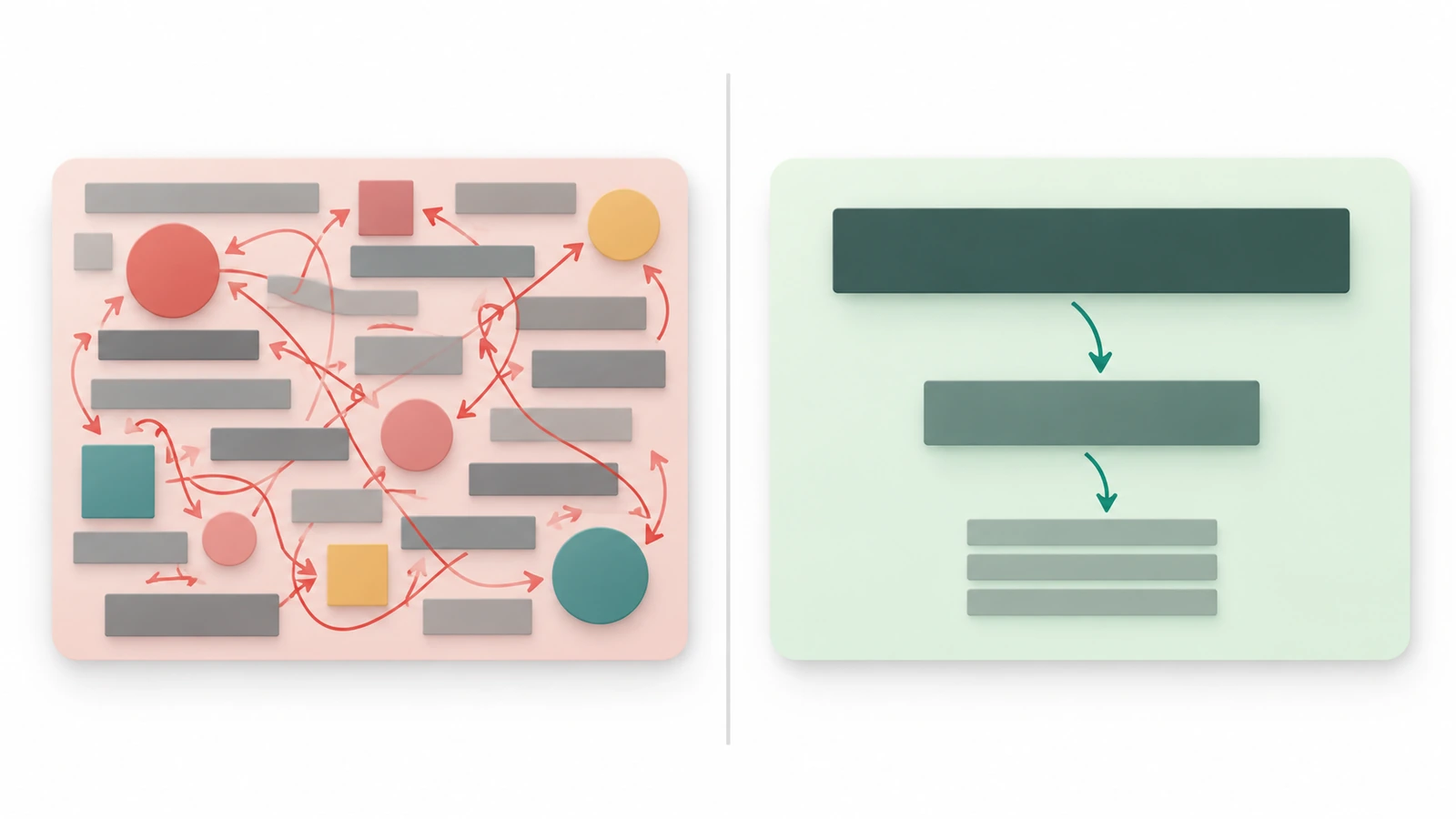
Hierarchy test: the information falls into three levels: identity (who), offer or role (why call), and contact (how). Each level gets its own visual weight.
Fit test: color, typeface and surface carry the industry's expected tone, so the card does not contradict the person handing it over.
Consistency test: the card looks like the same company as the website, the email signature and the colleague standing next to you.
A boring business card is not the same as a minimal one. A boring card passes the hierarchy test but fails the fit test. It is the default template with the default typeface, and it could belong to any company in any industry. A minimal card makes deliberate choices about margin, weight and material, so the restraint itself becomes recognizable.
Business card examples professional teams can borrow, by industry
The examples below are composite patterns drawn from cards that consistently pass the four tests. They are not copies of any single brand. Each one names the card's main job first, because the job decides the layout.
1. Law, accounting and financial advisory: the quiet-authority card
Job: signal credibility and make the right person easy to reach. Layout: the name is left-aligned with a wide outer margin. Credentials sit on a single line under the name, and the firm name is set smaller and lower. The back is a solid field of the firm's primary color with a small geometric mark. Finish logic: an uncoated or soft matte surface takes a pen easily, which matters when an advisor writes a direct line or meeting time on the back. Borrow: the credentials line. One row of qualifications does more than a paragraph of claims. Avoid: listing office, mobile, fax and assistant numbers. Choose the one channel you actually answer.
2. Consulting and B2B services: the one-promise card
Job: make the recipient remember what problem you solve. Layout: the front carries name, role and a single outcome statement of six to ten words, set as the second-heaviest element. The back lists no more than three service areas, separated by white space instead of bullets or dividers. Borrow: an outcome line written as a result ("cut month-end close time") rather than a capability ("financial solutions"). Avoid: the slogan arms race, where the tagline, the service list and a mission statement all compete for second place.
3. Real estate: the local-expert card
Job: connect a face to a neighborhood. Layout: a small, well-lit portrait in a consistent crop sits beside the name, with the brokerage mark subordinate. The back gives a single route to listings, either a short web address or a QR code labeled with its destination. Borrow: a portrait that takes up about a fifth of the card face, not half of it. Avoid: the most common real-estate fail, where an oversized headshot, the brokerage logo, license details and a slogan all claim equal weight. Nothing reads first.
4. Trades and home services: the fridge card
Job: be findable months later, when the pipe bursts. Layout: the service category and the phone number are the two largest elements, in high-contrast dark-on-light or light-on-dark. The back has a short checklist of services plus a writable "next service" area. Finish logic: these cards end up on fridges, in toolboxes and in glove compartments, so the surface needs to resist smudging. Keep at least one side writable. Borrow: designing for a stressed reader at a distance, where readability beats elegance. Avoid: thin script typefaces and pale brand colors that disappear under kitchen lighting.
5. Photographers, illustrators and designers: the mini-portfolio card
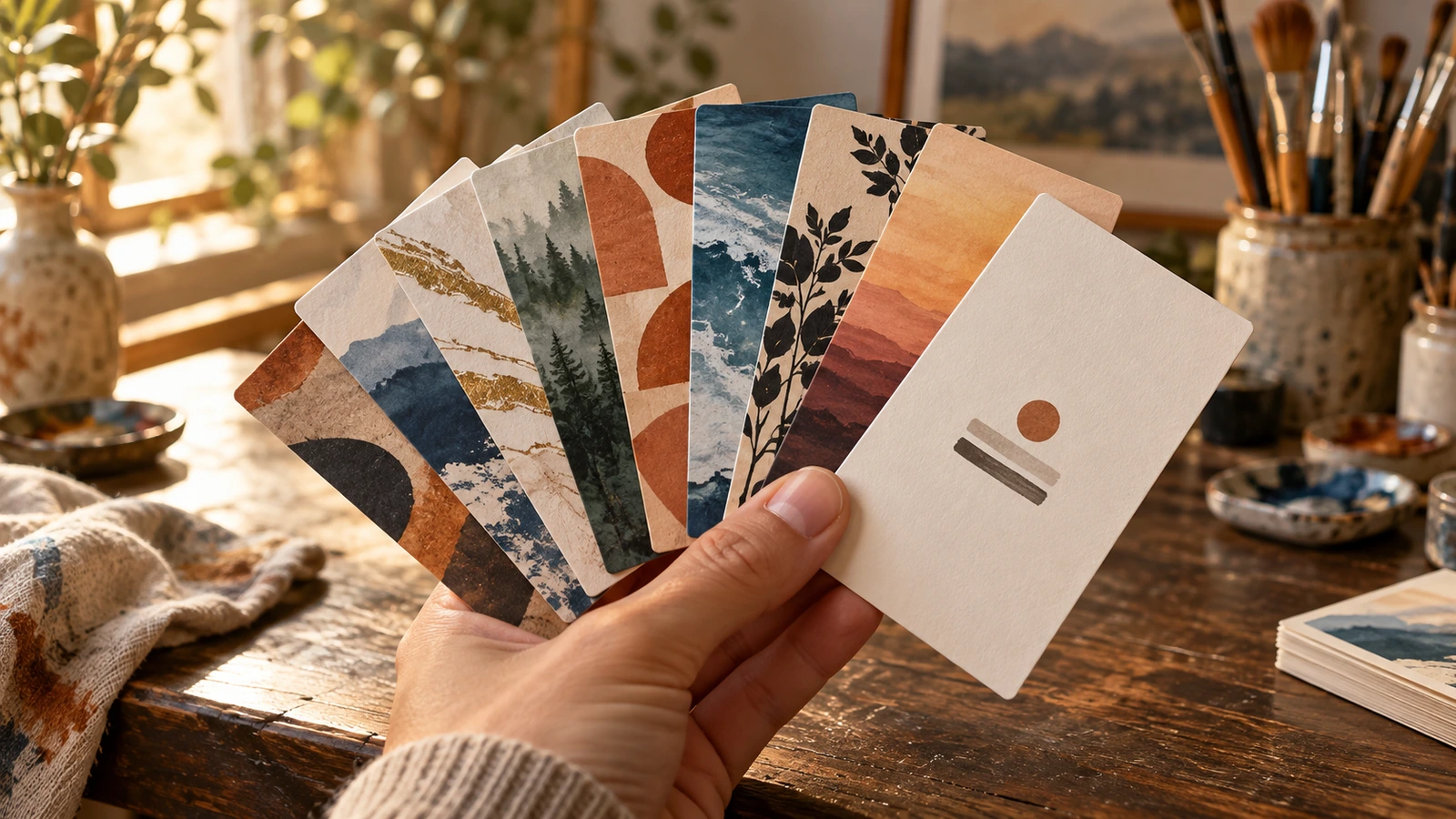
Job: show the work, not describe it. Layout: a minimal front with the name and a single contact route, and a full-bleed image on the back. Variable backs are the strongest move in this category. One artist printed a different artwork on each card back and let people pick their favorite, which turned the card exchange into a small portfolio conversation[5]. Borrow: curate the backs as a set with a shared color temperature, so they read as one body of work. Avoid: low-resolution exports and heavy dark images that print muddier than they looked on screen.
6. Tech and startups: the product-first card
Job: get the recipient into a demo, a calendar link or a waitlist. Layout: a vertical orientation sets the card apart in a stack of horizontal ones. A bold color block carries the brand, and a QR code sits beside a short text label that says exactly where it goes. Borrow: point the QR code at a page you control and can update. Contact details then stay accurate even when roles change. Avoid: an unlabeled code and a back that is nothing but a code. People rarely scan without knowing what they will get.
7. Healthcare, wellness and hospitality: the calm, sensory card
Job: reassure (clinics) or evoke an experience (restaurants, spas, boutique hotels). Layout: clinics benefit from larger contact type and a back reserved for appointment reminders, which helps older patients and carers. Hospitality cards lean on the venue's palette and a textured or tinted stock that echoes the interior. Reviewers consistently treat premium stock and accents such as foil and spot gloss[6] as the features people actually notice. Borrow: one tactile accent tied to the brand story. Avoid: stacking several effects on one small card, which looks busy rather than premium.
Business card fails that make a card forgettable
Each fail below breaks one of the four tests described earlier. Most can be prevented at the design stage, before anything goes to print.
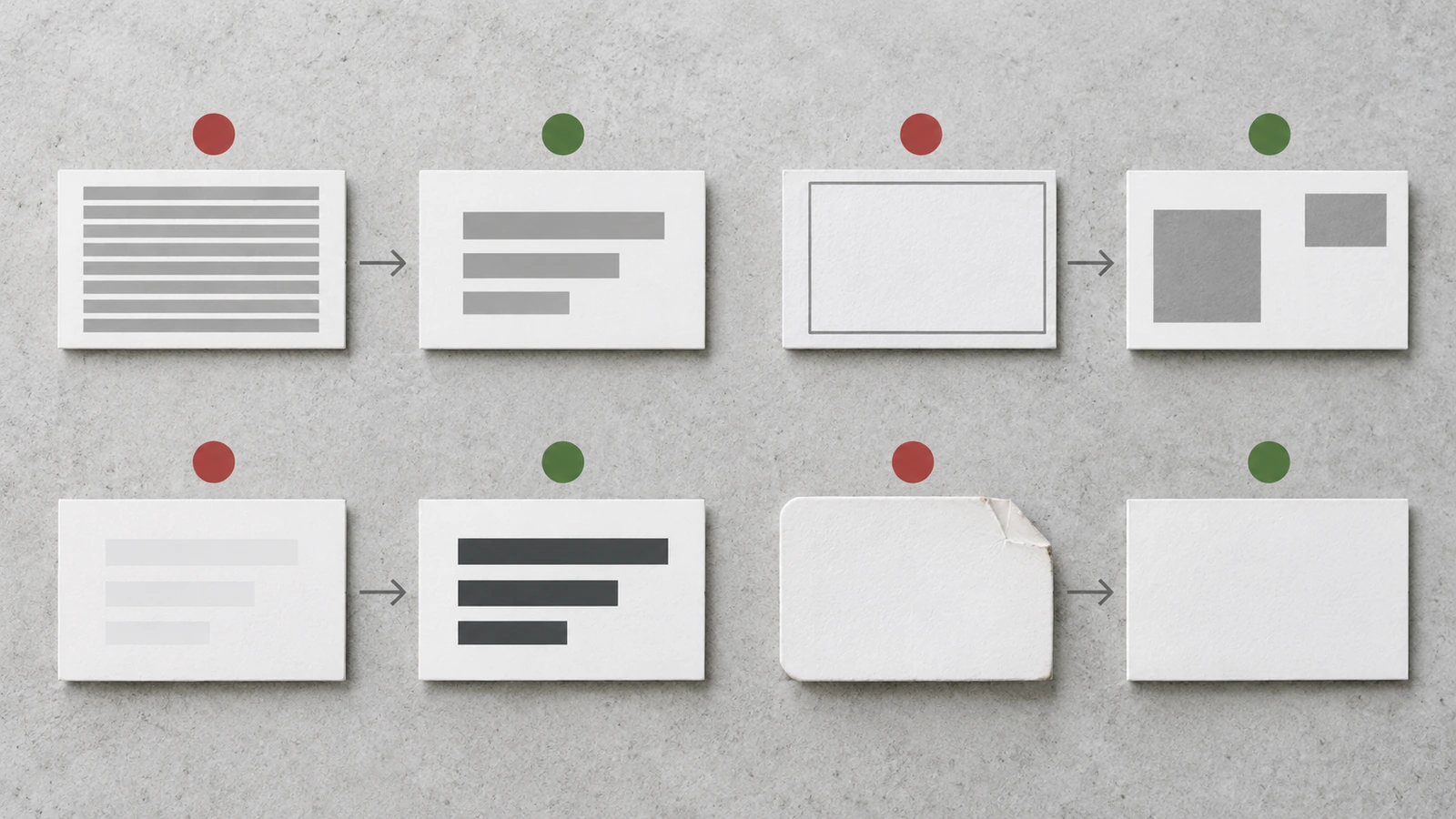
The crammed card (fails hierarchy). Designers name long bullet lists as their most frequent client request on standard-size cards [2]. Fix: move services to the back, or to the page your QR code opens. Keep a single contact channel per type, meaning one phone, one email and one web address.
The approved typo (fails consistency). A typo in a proof the client signed off is a self-inflicted fail [2]. Fix: have someone outside the project read the proof aloud, digit by digit, for every phone number and email address. Our product page explains how artwork approval works.
The drifting trim (fails focal test). A border or centered layout exposes even small cutting variation, which is exactly what the off-center order above shows [3]. Fix: avoid thin borders that run close to the edge, and favor asymmetric layouts with generous margins that hide minor shifts.
The whisper card (fails fit). Light-gray type on white or pastel on pastel looks refined on a backlit screen and disappears on paper. Fix: print a test sheet and read it under ordinary office light before you approve the color palette.
The flimsy card (fails fit). Expectations have moved. Independent reviewers now note that even entry-level cards use 16-point stock[7], so a thin card now looks like a shortcut. Fix: treat weight as part of the brand tone, not an afterthought.
The gimmick card (fails the job). Die-cut corners that bend in a wallet, perforated tabs that nobody wants to tear, and shapes that do not fit a cardholder all win attention once and lose it after that. Fix: every special effect should answer the card's job, not compete with it.
The boring business card (fails fit and consistency). An untouched template with a stock typeface tells the recipient nothing about you. Fix: change three things: margin, typeface weight and one brand color applied with discipline.
The expired card (fails trust). Old titles, phone numbers and addresses send people to the wrong place. Fix: keep fast-changing details behind an updatable link, and schedule a quarterly review of team data.
How to turn these examples into a team card system
A single great card is a design exercise. A team of fifty consistent cards is a system, and the system is where most business teams struggle. These steps turn the gallery above into a repeatable standard.
Name the card's one job. Write it in a single sentence, such as "book a discovery call," "show the portfolio" or "be found in an emergency." Every later decision is checked against it.
Rank every data field into three levels. Identity is level 1, role or offer is level 2, and contact is level 3. Anything that does not fit a level moves to the back or to a linked page.
Lock a master template, and vary only the fields. Fix the positions, type sizes and colors. Only name, title, phone and email change per person. That is how a twenty-person sales team avoids twenty slightly different cards.
Assign the front and the back distinct roles. The front identifies, and the back does the job (portfolio, services, booking route, appointment field). If both sides say the same thing, one side is wasted.
Stress-test with your longest real data. Typeset the longest name, the longest job title and the longest email address in the company. If the layout breaks, fix the template, not the person's title.
Plan regional variants for international teams. Standard card formats differ between North America, Europe and the ISO ID-1 card format[8]. A layout with generous margins adapts to each one without a redesign. Format, surface and reverse-side choices are covered on our custom business cards page.
Set a review rhythm. Tie reprints to HR events such as promotions, new hires and office moves, so expired cards never reach a client.
Memorable vs. forgettable: side-by-side comparison
Element
Memorable professional card
Forgettable card
Test it fails
Focal point
One element reads first in two seconds
Logo, photo and slogan compete equally
Focal
Information load
Three ranked levels, one channel per type
Bullet lists, several phones, fax
Hierarchy
Back side
Does the job: portfolio, services, booking route
Blank, or repeats the front
Job
Typography
Two weights and one family, readable under office light
Thin script or low-contrast pastel
Fit
Finish
One tactile accent tied to the brand story
Several effects stacked, or a flimsy stock
Fit
QR / digital link
Labeled, points to an updatable page
Unlabeled, leads to a dead or generic page
Trust
Team consistency
Locked master template, variable fields only
Each person edits their own file
Consistency
Industry
Card's one job
Layout cue to borrow
Most common fail
Law / finance
Signal credibility
Single credentials line, wide margin
Too many contact channels
Consulting / B2B
Remember the problem solved
Outcome statement as level 2
Competing slogans
Real estate
Face plus neighborhood
Small consistent portrait
Oversized headshot clutter
Trades
Be found in an emergency
Huge phone number, writable back
Pale, thin type
Creative
Show the work
Curated variable backs
Muddy, low-res images
Tech / startup
Drive a demo or signup
Vertical layout, labeled QR
Unlabeled code
Healthcare / hospitality
Reassure or evoke
Larger type or one sensory accent
Effect overload
FAQ
FAQ: What makes a business card look professional rather than generic?
Deliberate choices that a template does not make for you: one focal element, a three-level hierarchy, and a typeface, color and surface that fit your industry. A generic card usually gets the hierarchy right but borrows its tone from a default template, so it could belong to anyone.
FAQ: How much information should a professional business card include?
Name, role or offer, and one contact route per type (one phone, one email, one web address), plus the brand mark. Service lists, office locations and social handles belong on the back or behind a linked page. Designers name overcrowding as the most frequent client request they push back on.
FAQ: Is a minimal design the same as a boring business card?
No. A minimal card removes elements on purpose and makes the remaining ones distinctive through margin, weight and material. A boring card removes nothing on purpose. It simply never adds a point of view. Restraint reads as confidence, and a default template reads as indifference.
FAQ: Do QR codes look professional on business cards?
Yes, when they are labeled and lead somewhere useful and up to date, such as a booking page, portfolio or contact profile. They look careless when unlabeled, when they fill the whole back, or when they point to a generic homepage.
FAQ: Should everyone on a team have identical business cards?
The layout, type and colors should be identical. Only personal fields should change. Some teams add a controlled variable, such as a department color or a role-specific back, but that variable should be defined in the master template rather than invented by each person.
FAQ: Are special shapes and finishes worth it?
Only if they serve the card's job. A single tactile accent that echoes the brand is memorable. Fragile die-cuts, perforations and stacked effects tend to attract attention once and then become a nuisance. For finish options and pricing on a specific project, send us your brief for a quote.
Key takeaways
A card's real test is the second look, made when you are not in the room. Billions are still handed out each year (Source)
Overcrowding and approved typos top designers' list of avoidable fails. The list draws on 100+ cards designed (Source)
Fewer cards are being printed, so each one has to earn its place. The largest online printing group reported business card revenue down about 6% in FY2025 (Source)
A flimsy stock now reads as a downgrade. Reviewers find even entry-level cards use 16-point stock (Source)
Variable backs turn a creative's card into a portfolio. One artist printed 1 different artwork per card back in a single order (Source)
Global teams should design margins that survive regional formats. There are at least 3 common card standards: North American, European and ISO ID-1 (Source)
Conclusion: borrow the logic, not the look
The strongest professional business card examples in every industry come from the same process: name the card's one job, rank the information, give the back a purpose, and choose a finish that confirms the tone instead of decorating it. Copying another company's visual style gets you a nice-looking card. Copying the process gets you a card that matches your brand. For a team, the advantage comes from locking that logic into a master template, so every person hands over the same clear second impression.
When your layout passes the four tests, the remaining decisions are format, surface, proofing and production. Those are covered step by step on our custom business cards page, where you can also send your brief and request a quote for your team's quantities and finishes.
Footnotes
The Globe and Mail, "Without business cards, we lose an important record of our lives," opinion piece quoting J. Brock Smith, University of Victoria, published 2025-07-05. theglobeandmail.com↩
Reddit r/carddesign, "My top 10 client complaints after designing >100 business cards," posted 2025-12-11. reddit.com↩
Reddit r/canva, "Ordered Business Cards," user report of off-center printing and a worse reprint, posted 2024-10-17. reddit.com↩
StockTitan, summary of a major online printing group's FY2025 Form 10-K annual report filing (business card revenue decline of about 6%). stocktitan.net↩
Reddit r/artbusiness, "Ordering (and then re-ordering) business cards," artist discussion of varied card backs, posted 2024-03. reddit.com↩
Fit Small Business, independent review of business card printing options and finishes, published 2024-10-10, updated 2025-07-16. fitsmallbusiness.com↩
WeReview, "Best Business Cards," independent review, updated 2026-04-08. wereview.com↩
Paper Sizes Guide, card size reference covering ISO 7810 ID-1, North American and European business card formats. papersizes.guide↩
Hi there! I'm Bruce, proud dad to my amazing son. I'm the founder of Zigpac, a printing and packaging company empowering small and medium-sized businesses with custom solutions. Let's create something great together!



 Blog PDF for offline reading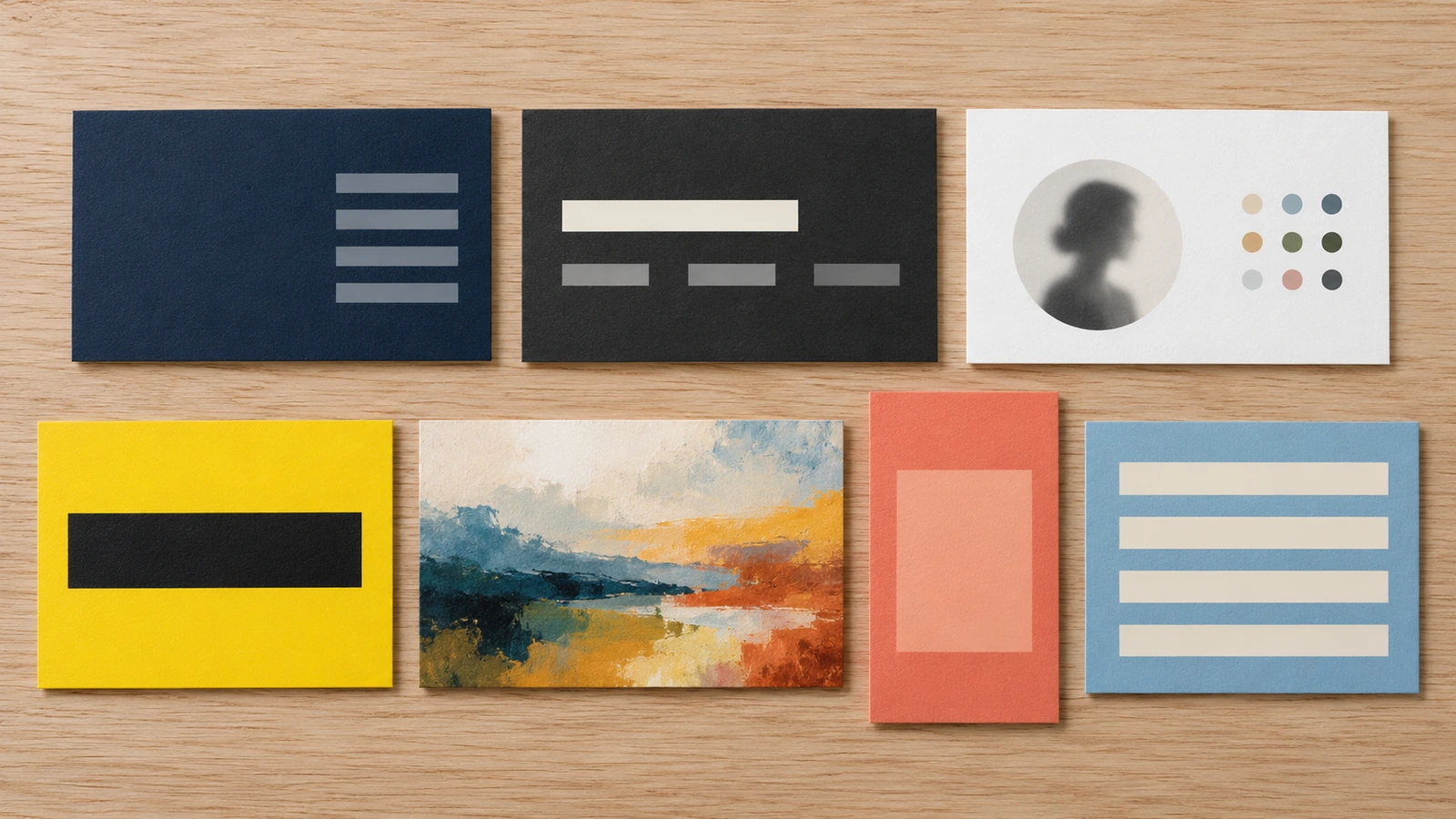








The information below is required for social login
Sign In
Create New Account