


 Blog PDF for offline reading
 Quick answer: Poster size printing for fixtures starts with the hardware. Measure each frame's visible window and graphic channel, then group locations by aspect ratio. Specify trim as width × height with bleed (commonly 0.125 in / 3.175 mm per side) and a written tolerance. Finally, check how that size nests on the printer's roll or sheet, because a 2-inch change can halve yield.
A store-opening kit arrives, and half the posters do not fit. The 24 × 36 in sheets slide into the snap frames, but the headline sits under the aluminum lip. In the older light boxes, the graphic floats with a gap along one edge. At the trade-show stand, the easel takes a landscape board and the file was built portrait. Nobody ordered the "wrong size." Every location simply had a different idea of what size meant. This guide covers poster size printing as a specification task. It explains how to turn mixed fixtures, frames, light boxes and event hardware into a short list of dimensions that any printer can produce and any store team can install.
The problem grows with your footprint. One branded campaign can touch dozens of fixture generations, bought from different suppliers over different years. The supply side is just as fragmented: the US printing industry is estimated at $79.4 billion in 2026, spread across roughly 50,473 businesses (US printing industry analysis[1]). A size spec that lives only in one vendor's head breaks the moment you re-quote, add a region or switch suppliers. The fix is a vendor-neutral dimension sheet, and the rest of this article shows how to build one.
What "size" really means for a fixture poster
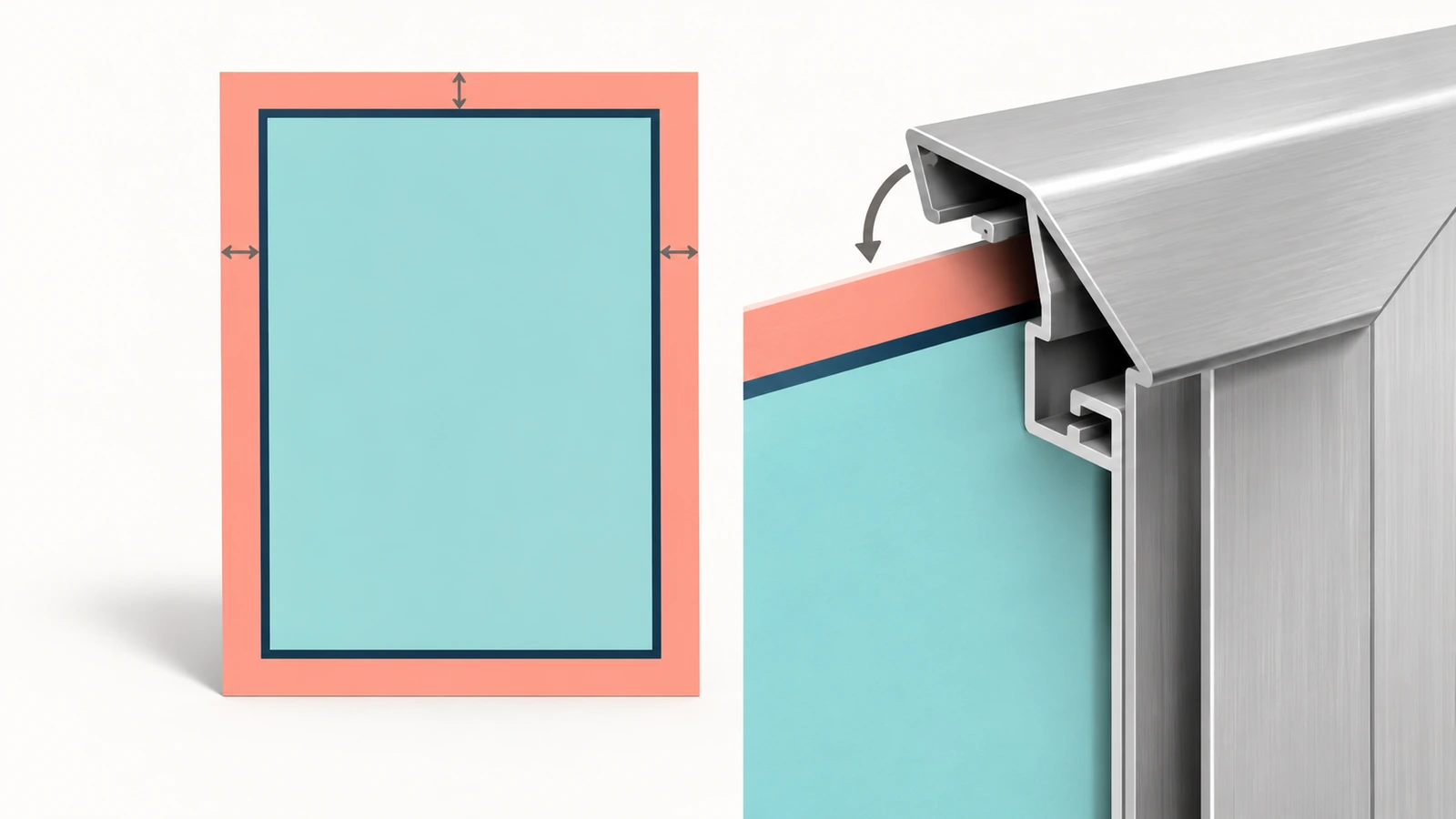
For a framed or mounted display, one poster has at least four dimensions. Confusing them causes almost every fit complaint:
- Trim size: the finished, cut dimension of the sheet. This is the number on the order, written width × height.
- Bleed size: trim plus the extra image area that is cut away. With the common 0.125 in bleed, a 24 × 36 in trim needs a 24.25 × 36.25 in file.
- Graphic channel or insert size: the space the hardware physically accepts. A snap frame's backing plate, a light box's film track or an easel's ledge all set this limit.
- Visible area: what shoppers actually see once the frame profile, mat or lens covers the edges. It is always smaller than trim on lipped hardware.
Demand for this kind of brand-controlled, multi-site print is not shrinking. The US custom printing market was valued at USD 6.10 billion in 2023, with a projected CAGR of 10.5% through 2030. Advertising materials such as posters are named as a key driver (US custom printing market report[2]). More campaigns and more locations raise the cost of a vague size spec, so pinning down all four numbers per fixture is worth the effort.
How to audit fixtures across multiple locations
Do not trust the label on the fixture or the size printed in an old purchase order. The two models of a "24 × 36" frame sitting in your stores may have different lips, and a light box refurbished last year may take a different film size than the original. A one-time audit costs a few hours per location. One misfit reprint across a whole chain usually costs more.
- Assign a fixture ID. Give every physical unit an ID that combines location, wall or zone, and fixture type. For example, STORE-014 / ENTRY / SNAP-A. Photos go into the same record.
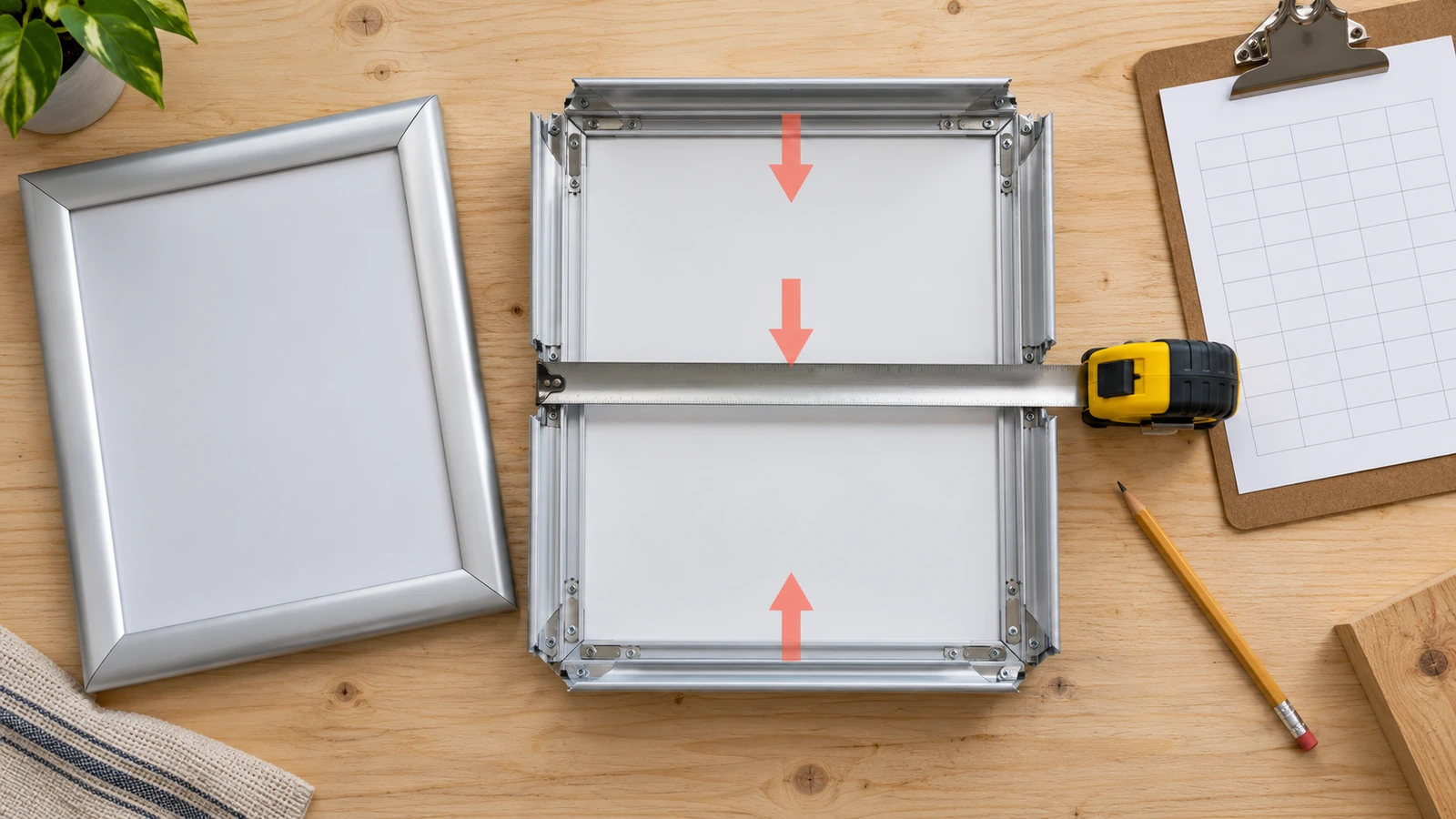
- Measure the insert space, not the outside frame. Open the frame or box. For snap frames, measure the backing plate. For light boxes, measure the film track or tension area. For easels and A-frames, measure the panel or slot.
- Measure the visible window. Close the frame, then measure the opening edge to edge. Half of the difference between insert and window, on each axis, is the lip overlap per side.
- Measure three times per axis. Take readings at the top, middle and bottom for width, and at the left, center and right for height. A spread larger than about 1/16 in points to a bent or out-of-square fixture. Flag it, because no print tolerance can correct it.
- Record orientation and units. Always write width first, state portrait or landscape, and record both inches and millimetres. This matters most when fixtures come from metric-standard suppliers.
- Note the depth constraint. If a channel only accepts a thin sheet, a mounted board will not fit even when the face dimensions match.
A shared spreadsheet with one row per fixture works well. Use these columns: ID, type, insert W × H, window W × H, lip per side, orientation, depth limit, lighting (front-lit or backlit), and photo link. Once the data is in, sort by insert size and you will usually see that 40 "different" fixtures collapse into four or five real size families.
Group sizes by aspect ratio, not by label
The fastest way to cut artwork versions is to group fixtures by proportion. Posters with the same aspect ratio can share one master file that is simply scaled. Posters with different ratios need their own layout, or the artwork gets cropped. The table below lists common US and ISO formats with their exact metric equivalents.
| Format (W × H) | Metric (mm) | Aspect ratio | Shares a master file with |
|---|---|---|---|
| 11 × 17 in (ANSI B / tabloid) | 279.4 × 431.8 | 1 : 1.545 | No common neighbor; build separately |
| 12 × 18 in | 304.8 × 457.2 | 2 : 3 | 24 × 36 in at 50% scale |
| 16 × 20 in | 406.4 × 508.0 | 4 : 5 | 8 × 10 in at 50% scale |
| 18 × 24 in | 457.2 × 609.6 | 3 : 4 | No 2:3 sizes; needs its own layout |
| 22 × 28 in | 558.8 × 711.2 | 11 : 14 | Close to 4:5 but not identical |
| 24 × 36 in | 609.6 × 914.4 | 2 : 3 | 12 × 18 in at 200% |
| 27 × 40 in (cinema one-sheet) | 685.8 × 1016.0 | 1 : 1.481 | Near 2:3, but crops about 0.6 in per side when forced |
| A1 / A0 (ISO 216) | 594 × 841 / 841 × 1189 | 1 : 1.414 | Every A size scales to every other |
The crop cost of forcing a ratio is easy to calculate. Fitting 2:3 artwork into an 18 × 24 in (3:4) frame by matching the width scales the design to 18 × 27 in. That means 3 in, or 11% of the height, must be cut off. Unless the layout was designed with that buffer, a headline or legal line will be lost. If your audit shows both 3:4 and 2:3 fixtures, budget for two layouts from the start instead of discovering the problem at proof.
International portfolios add a further trap. ISO A sizes keep a 1 : 1.414 ratio, while US formats do not. An A1 frame and an 24 × 36 in frame are roughly the same size but need different files. Note the standard family next to each fixture ID during the audit.
Write a poster size printing callout a vendor cannot misread
The complaints in public reviews of online poster services follow a pattern. A buyer orders a 10 × 15 in print for a specialty frame and receives a sheet with 1 in of border on the left and none on the right. Another receives a 20 × 30 in print with skewed, uneven borders. When challenged, sellers often point to a "margin of error" in their terms. One widely used online shop cites a hand-cut tolerance of about 1/4 in. If your order never stated a tolerance, the vendor's default applies, and that default may be wider than your frame allows.
Government print buyers solved this decades ago by writing measurable attributes and tolerances into contracts. The US Government Publishing Office's Quality Assurance Through Attributes Program sets trim and registration tolerances by quality level instead of by subjective judgment (GPO QATAP[3]). Commercial buyers can borrow the same logic. A complete callout for one size family might read:
| Field | Example entry (illustrative, set your own values) |
|---|---|
| Size family / fixture IDs | SF-01: snap frames SNAP-A, SNAP-B (32 locations) |
| Finished trim, W × H | 24.000 × 36.000 in (609.6 × 914.4 mm), portrait |
| Bleed | 0.125 in (3.175 mm) per side; file canvas 24.25 × 36.25 in |
| Measured visible window | From audit, e.g. 23.25 × 35.25 in (lip 0.375 in per side) |
| Safe area for critical content | Inside the visible window, plus an extra inset you choose |
| Trim tolerance | e.g. ±1/16 in (±1.6 mm) on each dimension |
| Squareness | e.g. diagonals differ by no more than 1/8 in (a 24 × 36 in sheet has a 43.27 in diagonal) |
| Border / full bleed | Full bleed, no white edge on any side |
| File standard | PDF/X with trim and bleed boxes defined |
The file standard line matters more than it looks. PDF/X, published as the ISO 15930 series, is a strict subset of PDF built for reliable print exchange. It lets the file itself carry the trim box and bleed box, so the cutter does not have to guess where the edge is (PDF/X standards overview[4]). ISO's graphic technology committee also publishes guidance on how standards for files, color and process control fit together in a production workflow (ISO/TC 130 guidelines[5]). For resolution, color mode and proof sign-off, see the artwork approval section on our custom poster printing page rather than repeating it here.
Multi-location rollouts carry one more risk. Each size family may be produced on different equipment, or reprinted months apart. If the same brand color must look alike on a 12 × 18 in counter card and a 24 × 36 in wall poster, ask whether the printer calibrates to a shared gray-balance method such as Idealliance G7, which targets visual similarity across print processes (Idealliance G7[6]).
How non-standard dimensions change sheet yield and unit cost
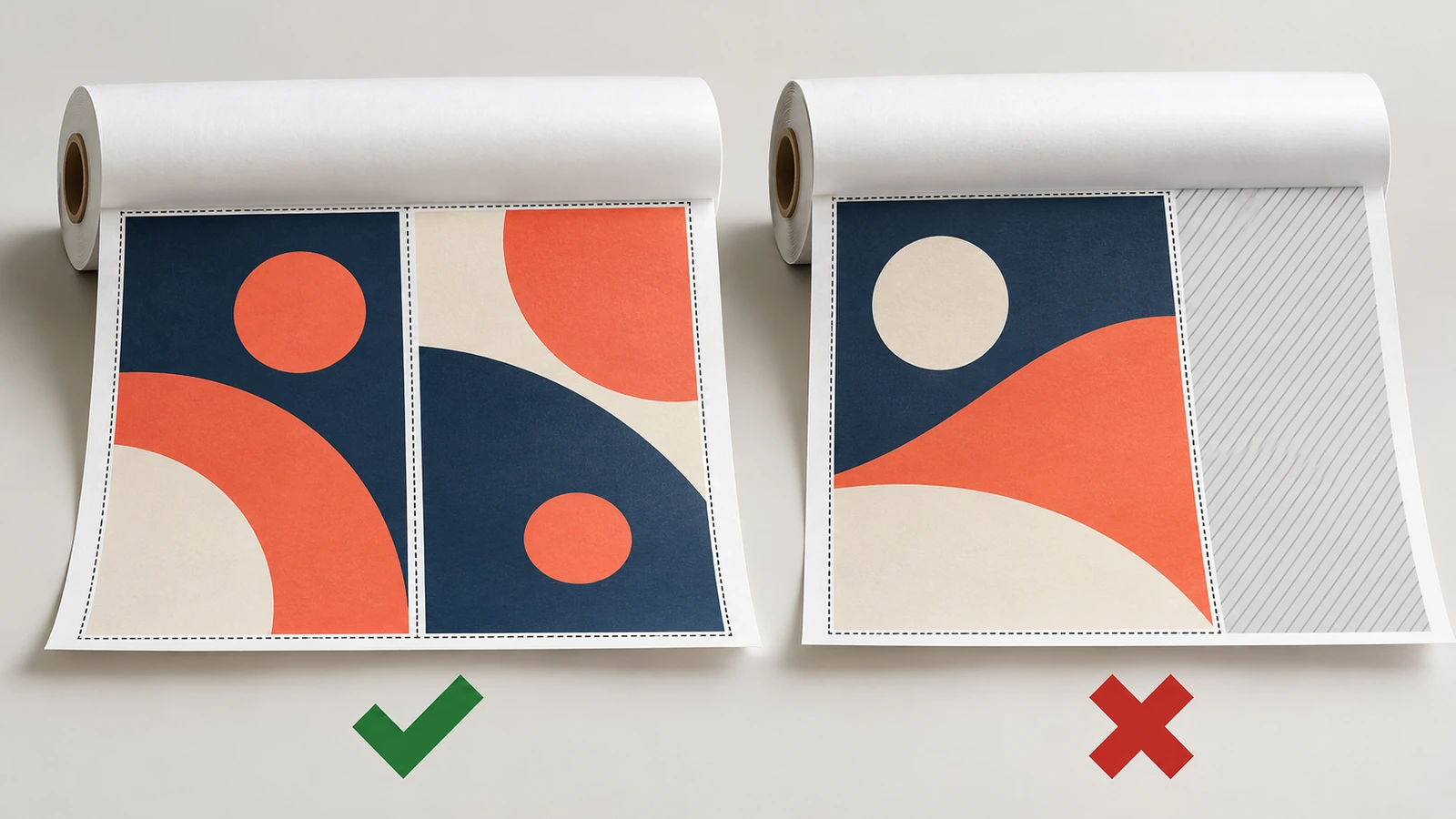
Large-format posters are printed on rolls or sheets with fixed widths, and then cut apart. How many posters fit across the media, and how much is left over, drives material cost per piece. Wide-format inkjet media keeps diversifying in substrates and widths (wide-format inkjet media report[7]), so always ask your printer which width they run for your stock. The worked example below assumes a 54 in roll and ignores machine side margins, which reduce usable width further in practice.
| Trim size (W × H) | With 0.125 in bleed | Best layout on 54 in roll | Width left unused |
|---|---|---|---|
| 24 × 36 in | 24.25 × 36.25 in | 2 across (48.5 in) | 5.5 in (10.2%) |
| 26 × 38 in (custom) | 26.25 × 38.25 in | 2 across (52.5 in) | 1.5 in (2.8%) |
| 28 × 40 in (custom) | 28.25 × 40.25 in | 1 across, rotated (40.25 in) | 13.75 in (25.5%) |
Two lessons follow from this table. First, a custom size is not automatically more expensive. The 26 × 38 in poster in this example wastes less media than the "standard" 24 × 36 in. Second, small increases can fall off a cliff. Growing from 26 to 28 in wide drops the layout from two across to one, roughly doubling the media length used per poster. If your audit shows a fixture that needs 28 × 40 in, it may be worth checking whether its visible window could take 26.5 in instead before you lock the spec.
Yield is only one line in unit cost. Each additional size family adds its own file version, proof, cutting setup and packing count. A rollout with three size families is usually simpler to produce and check than one with nine, even if a few fixtures end up with slightly smaller visible art. To see how a specific size mix affects your order, send the fixture list with a quote request through our poster printing for retail and events page. We will tell you how each size nests rather than quoting a flat rate blind.
Fixture-by-fixture comparison
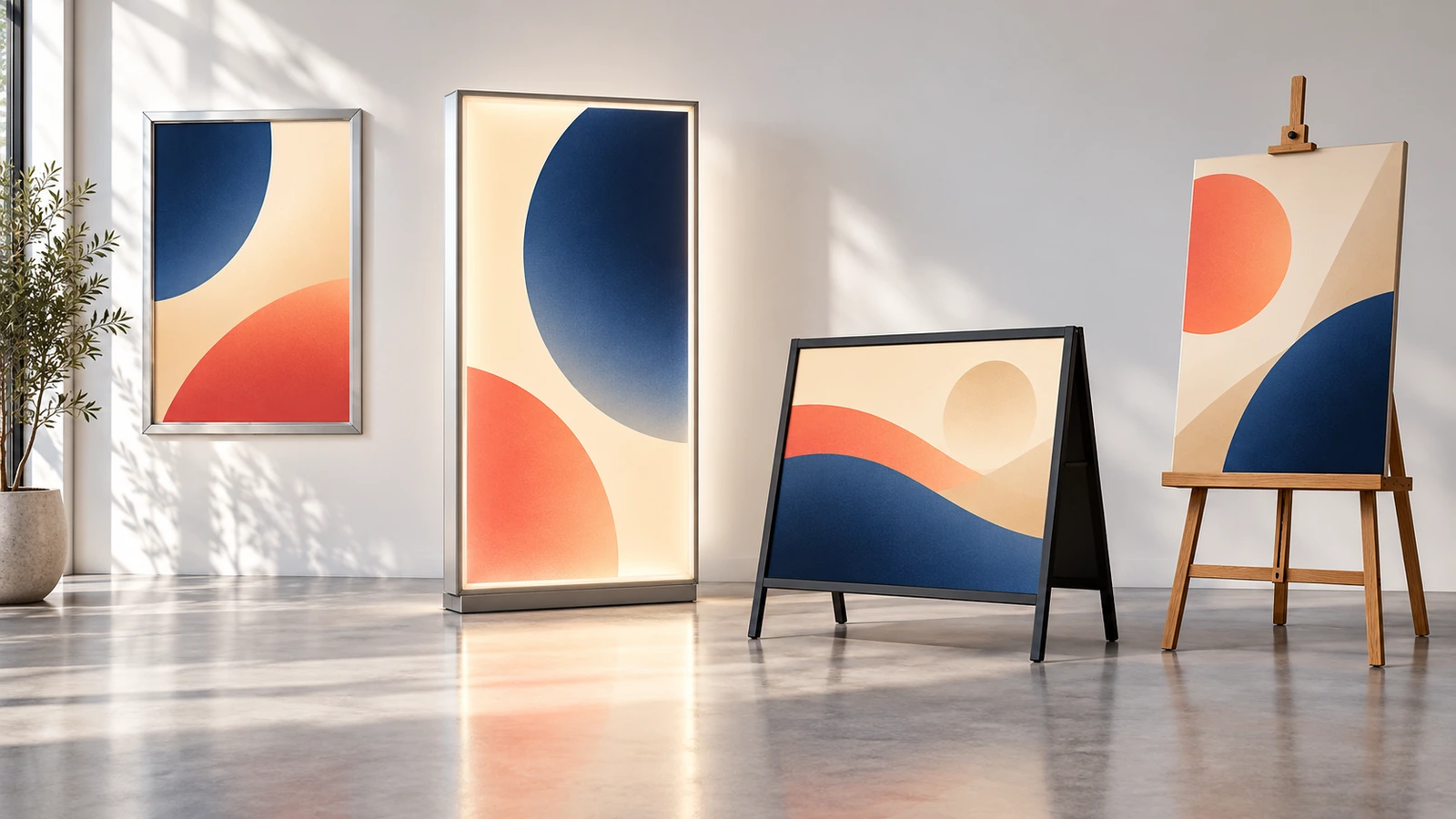
Each type of hardware relates trim, insert and visible area differently. Use this table during the audit to know what to measure and which failure to guard against.
| Fixture | What sets the poster size | Visible area vs. trim | Measure | Typical failure |
|---|---|---|---|---|
| Snap frame (aluminum, hinged profile) | Backing plate; the poster usually equals the frame's nominal size | Smaller by the profile lip on all four sides | Plate W × H, window W × H, lip per side | Headline or logo hidden under the lip |
| Locking poster case / lockable display | Internal channel or tray | Smaller by the case border | Channel W × H, depth limit, window | Mounted board too thick for the channel |
| Light box (backlit) | Film track, frame or tension system | Varies; often smaller than the graphic | Graphic W × H, window, light-panel size | Edge gaps that glow, uneven backlight on the wrong media |
| A-frame / sidewalk sign | Insert panel or slide-in slot | Close to insert, minus a narrow border | Slot W × H, insertion direction | Portrait file for a landscape slot |
| Event easel / poster stand | Ledge width and clip height | Full poster visible, but the ledge may hide the bottom edge | Ledge depth, clip position | Footer text hidden behind the ledge |
| Window display (behind glass) | Glass area and mullions | Defined by the glazing, not a frame | Glass W × H between mullions | Poster wider than the pane |
Light boxes deserve extra care because the graphic is seen through transmitted light, and fade or color shifts show more clearly. ISO is developing a dedicated part of its commercial print durability series, ISO 21139-22, to cover the light stability of backlit displays (ISO 21139-22[8]). For dimension work, the practical rule is to judge a backlit proof in the actual box, because the edge of the light panel can fall inside the visible window. Media and backing choices for each display are covered in the surface section of our custom poster printing page.
Event hardware often comes from the venue rather than your own stock. Get the venue's hardware sheet before you finalize files. Campus and conference print services also tend to publish their own maximum widths and submission rules, as university facilities such as Caltech's do (university poster printing guidance[9]). If posters will travel between events, some universities now print academic posters on recycled fabric that folds instead of rolling (Yale recycled fabric posters[10]). Fabric can stretch slightly, so specify tolerance at the size measured when it is hung, not while it lies flat.
FAQ
FAQ: What is the difference between trim size and visible area?
Trim size is the finished sheet after cutting. Visible area is what remains on view once the fixture's lip, border or ledge covers the edges. On a lipped snap frame, a 24 × 36 in poster may show only about 23.25 × 35.25 in if the lip is 0.375 in per side. Measure your own frames, because lip widths vary by model. Keep all critical content inside the visible area.
FAQ: How much bleed should I add for framed posters?
The common convention is 0.125 in (3.175 mm) per side, so the file canvas is 0.25 in larger than trim in each direction. Bleed protects against small cutting shifts. It does not replace the safe area, which on framed displays is set by the visible window rather than the trim edge.
FAQ: Can one file cover both 18 × 24 in and 24 × 36 in fixtures?
Not without cropping. 18 × 24 in is a 3:4 ratio and 24 × 36 in is 2:3. Scaling 24 × 36 in artwork to 18 in wide makes it 27 in tall, so 3 in must be cut. Build one layout per ratio, and scale within a ratio. A 12 × 18 in poster, for example, is the 24 × 36 in file at 50%.
FAQ: Are ISO A sizes interchangeable with US poster sizes?
No. A-series sheets keep a 1 : 1.414 ratio, defined in ISO 216. A1 is 594 × 841 mm and A0 is 841 × 1189 mm. US sizes such as 24 × 36 in (609.6 × 914.4 mm) use different proportions. Fixtures sourced in metric markets need their own size family on your spec sheet.
FAQ: How tight a tolerance should I specify?
Base it on the fixture, not on habit. Compare the frame's insert space to the poster trim. If a channel leaves only 1/16 in of play, the trim tolerance must be tighter than that, and you should also state a squareness limit by diagonal. Write the values on the order, because otherwise the printer's default terms apply. Ask your supplier what tolerance their cutting method holds before you commit.
FAQ: Does a custom size cost more than a standard size?
Not necessarily. Cost depends heavily on how the size nests on the printer's media. In the 54 in roll example above, a custom 26 × 38 in poster wastes less width than a standard 24 × 36 in. The bigger driver is often the number of size families, since each adds files, proofs and cutting setups. Send your fixture list with a quote request for an exact comparison.
Key takeaways
- Vendor-neutral size specs protect you when you switch or add printers — about 50,473 US printing businesses in 2026 (Source)
- Multi-site branded print is growing, so spec errors scale with it — USD 6.10 billion US custom printing market in 2023, 10.5% projected CAGR (Source)
- Write trim tolerances as measurable attributes, as government buyers do — GPO Publication 310.1 (QATAP) (Source)
- Let the file carry trim and bleed boxes so the cutter does not guess — ISO 15930 (PDF/X) series (Source)
- A 2-inch size change can halve yield on the same roll — 2 across vs. 1 across on a 54 in roll (Source)
- Judge backlit posters in the actual box, where fade and edges show most — ISO 21139-22 for backlit light stability (Source)
Conclusion
Fit problems rarely come from bad printing alone. They come from a size that meant one thing to the buyer, another to the designer and a third to the fixture. Audit the hardware and group it by aspect ratio. Write one callout per size family with trim, bleed, visible window, tolerance and squareness, then check nesting before you lock the dimensions. That turns a messy fixture estate into a short spec sheet that survives new stores, new campaigns and new vendors. When your fixture list is ready, share it through our custom poster printing page and we will map each size family to a production plan.
References
- IBISWorld, "Printing in the US — Industry Analysis" (2026): market size $79.4bn, 50,473 businesses. https://www.ibisworld.com/united-states/industry/printing/433/ ↩
- Grand View Research, "U.S. Custom Printing Market Size | Industry Report, 2030" (2024): USD 6.10 billion in 2023, CAGR 10.5% 2024–2030. https://www.grandviewresearch.com/industry-analysis/us-custom-printing-market-report ↩
- U.S. Government Publishing Office, "Quality Assurance Through Attributes Program (QATAP)", GPO Publication 310.1 (rev. 09-19). https://www.gpo.gov/docs/default-source/forms-and-standards-files-for-vendors/qatap-rev-09-19.pdf ↩
- PDF Association, "PDF Standards" (overview of ISO 15930 / PDF/X). https://pdfa.org/pdf-standards/ ↩
- ISO/TC 130 Graphic Technology, "Guidelines for using print production standards" v1.0 (2019). committee.iso.org — TC 130 guidelines (PDF) ↩
- Idealliance, "What is G7?" https://connect.idealliance.org/g7/about/whatisg7 ↩
- PRINTING United Alliance / WhatTheyThink, "Innovations in Wide-Format Inkjet Media". printing.org — wide-format inkjet media (PDF) ↩
- ISO, ISO/DIS 21139-22, permanence and durability of commercial prints — light stability of backlit displays. iso.org — ISO 21139-22 ↩
- California Institute of Technology GIS Lab, "Poster Printing Information". https://gislab.caltech.edu/documents/20483/Poster_Printing_Information.pdf ↩
- Yale Sustainability, "New recycled fabric poster printing goes green at Yale". https://sustainability.yale.edu/news/new-recycled-fabric-poster-printing-goes-green-yale ↩









The information below is required for social login
Sign In
Create New Account